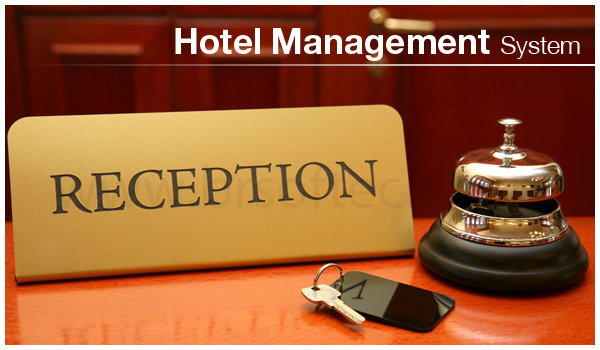
Hotel ERP Module

Hotel Management Features

Manage hotel booking activity, proof uploads, rent adjustments, payment timelines, room changes, audit history, and guest documents from one cloud dashboard.

Hotel Management dashboard screenshot

Module Overview

Hotel Booking Activity and Adjustment Management

Dreamlite Hotel Management includes Hotel Booking Activity and Adjustment Management, combining booking timelines, proof uploads, manual rent changes, payment tracking, room history, and audit visibility so hotel teams can control every stay from reservation to checkout.

Best For

Hotel Management is designed for teams that need reliable cloud operations, controlled access, business reports, and a connected SaaS ERP workflow.

Hotel Booking Activity and Adjustment Management

Key workflows included in the Hotel Management module.

Booking Timeline feature image

Booking Timeline

Track every booking event such as created, confirmed, checked in, checked out, cancelled, payment added, room changed, or rent adjusted.

Proof Upload feature image

Proof Upload

Allow guests or staff to upload ID proof, payment proof, address proof, or booking-related documents.

Manual Rent Adjustment feature image

Manual Rent Adjustment

Let authorized staff manually increase or decrease room rent for special cases, discounts, extra charges, late checkout, or corrections.

Rent Adjustment History feature image

Rent Adjustment History

Keep a list of all manual rent changes with old amount, new amount, reason, staff name, and date/time.

Guest Document Management feature image

Guest Document Management

Store and view uploaded guest documents securely from the booking or guest profile.

Room Change History feature image

Room Change History

Track when a guest is moved from one room to another, including reason and staff member.

Extra Charges Management feature image

Extra Charges Management

Add charges for food, laundry, minibar, damages, early check-in, late checkout, or extra bed.

Payment Timeline feature image

Payment Timeline

Show all payments, partial payments, refunds, and pending balance in chronological order.

Housekeeping Status feature image

Housekeeping Status

Manage room cleaning status such as dirty, cleaning, clean, inspected, or maintenance.

Maintenance Requests feature image

Maintenance Requests

Create and track maintenance issues for rooms, bathrooms, AC, electricity, furniture, and other hotel assets.

Check-in / Check-out Log feature image

Check-in / Check-out Log

Record actual check-in and check-out time, staff member, and guest confirmation.

Booking Notes feature image

Booking Notes

Allow internal notes for staff, such as guest preferences, special requests, complaints, or warnings.

Audit Log feature image

Audit Log

Track important actions performed by staff, especially edits to rent, booking dates, payments, and guest details.

Invoice and Receipt Generation feature image

Invoice and Receipt Generation

Generate invoices and receipts including room rent, tax, extra charges, discounts, and payments.

Cancellation and Refund Management feature image

Cancellation and Refund Management

Handle booking cancellations, cancellation charges, and refund records.

Guest Stay History feature image

Guest Stay History

View previous stays, payments, uploaded proof, preferences, and complaints for repeat guests.

Benefits

  • Give front-office, accounts, housekeeping, and managers one trusted booking activity record.
  • Reduce disputes by keeping proof uploads, rent changes, payments, refunds, and audit logs together.
  • Improve room readiness and guest service with housekeeping, maintenance, notes, and stay history.
  • Control special pricing, extra charges, cancellation charges, invoices, and receipts with staff accountability.

Connected Workflow

This module works with Dreamlite's booking, billing, HR, tenant, and admin controls so your SaaS landing page can guide visitors from feature discovery to demo or registration.

Ready to explore Hotel Management?

Try the SaaS demo or create an account to see how this module fits your business workflow.