Analytics Module

Report Management Features

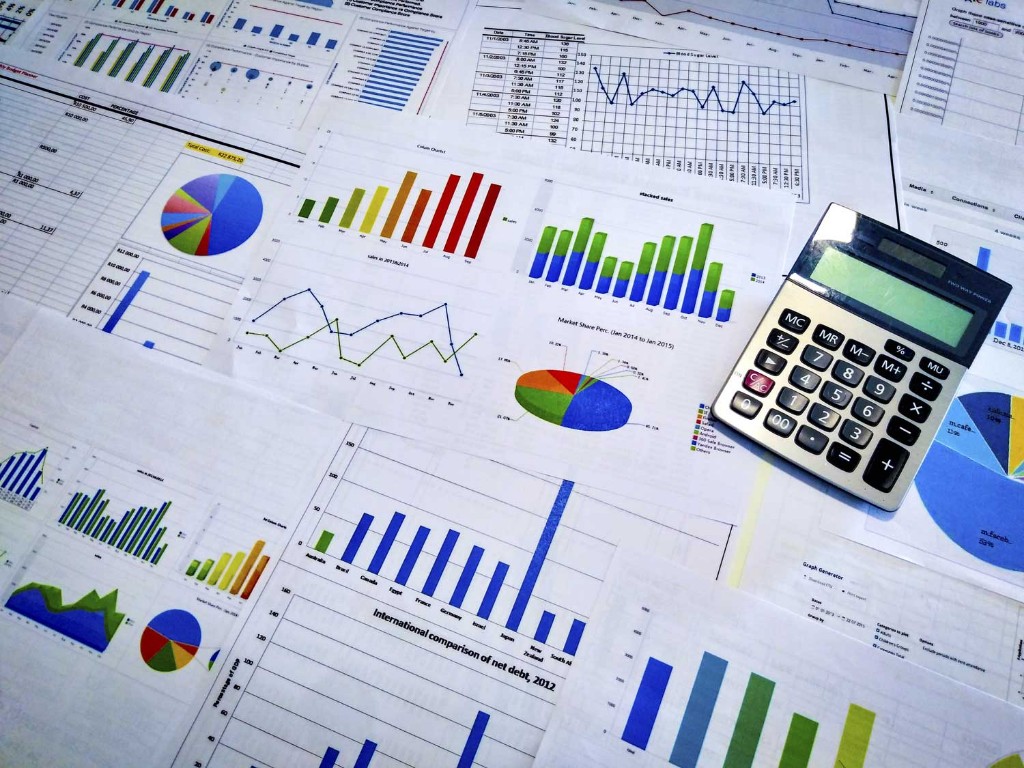
Run booking, occupancy, billing, collection, dues, expense, profit, ledger, tax, HR, maintenance, and audit reports with filters, exports, dashboards, and scheduled delivery.

Report Management dashboard screenshot

Module Overview

Reports and Analytics

Dreamlite Report Management gives owners and managers one reporting hub—dashboard summaries, drill-down detail, branch and date filters, role-based access, graphical charts, comparison views, and export to PDF, Excel, or CSV for hotel and PG operations.

Best For

Report Management is designed for teams that need reliable cloud operations, controlled access, business reports, and a connected SaaS ERP workflow.

Reports and Analytics

Key workflows included in the Report Management module.

Reports dashboard feature image

Reports dashboard

Executive summary for daily and monthly operations.

  • Today summary
  • Monthly summary
  • Revenue snapshot
  • Pending dues
  • Occupancy summary
Booking reports feature image

Booking reports

Analyze hotel and PG booking performance.

  • Hotel booking report
  • PG booking report
  • Cancelled booking
  • Pending booking
  • Booking source report
Occupancy reports feature image

Occupancy reports

Track room and bed utilization.

  • Room occupancy
  • Bed occupancy
  • Vacant rooms
  • Vacant beds
  • Floor-wise occupancy
Billing reports feature image

Billing reports

Review invoices and billing cycles.

  • Invoice report
  • Monthly billing report
  • Rent billing report
  • Service billing report
  • Cancelled invoice
Collection reports feature image

Collection reports

Monitor payments received and modes.

  • Daily collection
  • Monthly collection
  • Payment mode report
  • Advance collection
  • Due collection
Dues reports feature image

Dues reports

Follow up on outstanding balances.

  • Guest due report
  • Tenant due report
  • Overdue rent
  • Pending invoice
  • Partial payment report
Expense reports feature image

Expense reports

Track spending by period and category.

  • Daily expense
  • Monthly expense
  • Category-wise expense
  • Vendor expense
  • Maintenance expense
Profit / loss reports feature image

Profit / loss reports

Measure profitability across time and branches.

  • Profit & loss summary
  • Revenue vs expense
  • Branch-wise profit
  • Month-wise profit
Ledger reports feature image

Ledger reports

Detailed account-wise transaction history.

  • Guest ledger
  • Tenant ledger
  • Vendor ledger
  • Cash ledger
  • Bank ledger
Tax reports feature image

Tax reports

GST and tax compliance reporting.

  • GST report
  • Tax collection report
  • Input tax
  • Output tax
  • Tax invoice report
Maintenance reports feature image

Maintenance reports

Operations and cost for room upkeep.

  • Pending maintenance
  • Completed maintenance
  • Room downtime
  • Maintenance cost
  • Staff work report
HR reports feature image

HR reports

Workforce and payroll analytics.

  • Employee report
  • Attendance report
  • Leave report
  • Payroll report
  • Staff performance
Notice / message reports feature image

Notice / message reports

Communication reach and delivery metrics.

  • Notice read report
  • Message delivery report
  • Pending acknowledgement
  • Failed message report
Tenant / guest reports feature image

Tenant / guest reports

Resident and guest master insights.

  • Tenant list
  • Guest list
  • KYC pending
  • Agreement expiry
  • Check-in / check-out
Audit reports feature image

Audit reports

Security and change tracking for sensitive data.

  • Login history
  • User activity
  • Deleted records
  • Manual adjustment report
  • Approval history
Custom reports feature image

Custom reports

Flexible reports with export and segmentation.

  • Date range report
  • Branch-wise report
  • Room-wise report
  • User-wise report
  • Export report
Settings feature image

Settings

Configure report access and delivery.

  • Report access permission
  • Export format
  • Scheduled report
  • Email report settings
Date range filter feature image

Date range filter

Filter by today, yesterday, weekly, monthly, yearly, or custom dates.

Branch / property filter feature image

Branch / property filter

View reports by hotel, PG, branch, block, floor, or room.

Export options feature image

Export options

Export to PDF, Excel, CSV, or print.

Scheduled reports feature image

Scheduled reports

Auto-send daily or monthly reports to owner or manager.

Role-based reports feature image

Role-based reports

Accounts, HR, maintenance, front office, and owner-level visibility.

Graphical dashboard feature image

Graphical dashboard

Charts for revenue, occupancy, dues, expenses, and profit.

Drill-down report feature image

Drill-down report

Click a summary value to see detailed underlying records.

Comparison reports feature image

Comparison reports

Compare current month vs previous month or branch vs branch.

Audit trail reports feature image

Audit trail reports

Track who created, edited, deleted, approved, or adjusted records.

Saved report templates feature image

Saved report templates

Save frequently used filters as reusable report views.

Benefits

  • See hotel and PG performance in one reporting workspace.
  • Improve collections and occupancy decisions with timely dashboards.
  • Share PDF and Excel reports with owners and accountants easily.
  • Maintain accountability with audit trails and role-based access.

Connected Workflow

This module works with Dreamlite's booking, billing, HR, tenant, and admin controls so your SaaS landing page can guide visitors from feature discovery to demo or registration.

Ready to explore Report Management?

Try the SaaS demo or create an account to see how this module fits your business workflow.